


Goods receipt
Once the production process is complete and the finished goods are available, a production receipt is generated based on the production order. In principle, it is possible that the manufactured goods deviate from the notification in terms of quantity and/or article scope. Over- and underdeliveries are therefore possible.

| Button | Description |
|---|---|
| Add new position | Adds a new position to the production receipt.
The changes are applied or discarded via |
 |
Allows changing the production receipt, there is a possibility to change the destination strategy of the produced goods, to enter annotations or even to deactivate the receipt.
The changes are applied or discarded via the familiar dialog |
| Booking | All order positions with entered quantity are collected and transfer orders are generated taking into account the selected target strategy for transfer from the production area to the warehouse. This TO can be found under Transfer orders – Production.  There you can also see from which production place (line) the goods are to be collected. There you can also see from which production place (line) the goods are to be collected.
After the transports have been completed, the status of the respective item changes to Done. When all TOs are fully processed, the production receipt also changes to this status. |
| Print NVE labels | Prints all NVE labels for this production receipt. |
| Select all on current pageUnselect all on current page | Selects or deselected all positions of the production receipt. |
  |
Checkbox for selecting / deselecting production positions. |
 |
Allows you to change a production item as long as it does not have the status Done. The changes are applied or discarded via  . . |
| Delete selected | Deletes the selected and selected production positions. |
 .
.
 .
.
In the Positions tab, the production positions are displayed.
Attachments shows the files stored for the production order.
Under linked list all production orders and receipts resulting from this order are displayed.

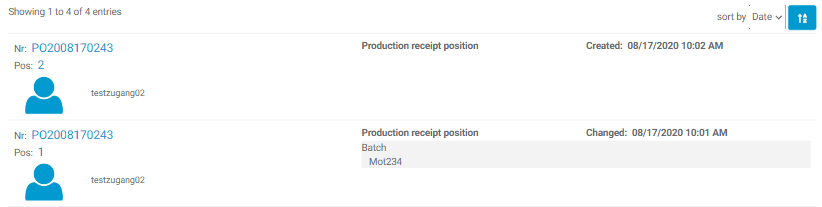
The revision history shows all changes to this production receipt.
The following warnings may appear within the processes:
| Warning | Description |
|---|---|
 |
Positions that are already in the Done status cannot be deleted. |
